mirror of
https://repo.dec05eba.com/gpu-screen-recorder
synced 2026-04-03 10:06:37 +09:00
Compare commits
10 Commits
| Author | SHA1 | Date | |
|---|---|---|---|

|
d9f61602d0 | ||
|
|
a60fa9b68d | ||
|
|
ec092f20c8 | ||
|
|
d12f312bc1 | ||
|
|
34f0eeebcd | ||
|
|
c63c1cfae3 | ||
|
|
7e8d6b3f33 | ||
|
|
0d1560c128 | ||
|
|
5c14babb80 | ||
|
|
ce4a8574f8 |
10
README.md
10
README.md
@@ -26,7 +26,7 @@ Supported image formats:
|
||||
* JPEG
|
||||
* PNG
|
||||
|
||||
This software works on X11 and Wayland on AMD, Intel and NVIDIA.
|
||||
This software works on X11 and Wayland on AMD, Intel and NVIDIA. Replay data is stored in RAM, not disk.
|
||||
### TEMPORARY ISSUES
|
||||
1) Videos are in variable framerate format. Use MPV to play such videos, otherwise you might experience stuttering in the video if you are using a buggy video player. You can try saving the video into a .mkv file instead as some software may have better support for .mkv files (such as kdenlive). You can use the "-fm cfr" option to to use constant framerate mode.
|
||||
2) FLAC audio codec is disabled at the moment because of temporary issues.
|
||||
@@ -151,12 +151,8 @@ You have to reboot your computer after installing GPU Screen Recorder for the fi
|
||||
# Examples
|
||||
Look at the [scripts](https://git.dec05eba.com/gpu-screen-recorder/tree/scripts) directory for script examples. For example if you want to automatically save a recording/replay into a folder with the same name as the game you are recording.
|
||||
|
||||
# Reporting bugs
|
||||
Issues are reported on this Github page: [https://github.com/dec05eba/gpu-screen-recorder-issues](https://github.com/dec05eba/gpu-screen-recorder-issues).
|
||||
# Contributing patches
|
||||
See [https://git.dec05eba.com/?p=about](https://git.dec05eba.com/?p=about) for contribution steps.
|
||||
# Donations
|
||||
See [https://git.dec05eba.com/?p=about](https://git.dec05eba.com/?p=about) for donation options.
|
||||
# Reporting bugs, contributing patches, questions or donation
|
||||
See [https://git.dec05eba.com/?p=about](https://git.dec05eba.com/?p=about).
|
||||
|
||||
# Demo
|
||||
[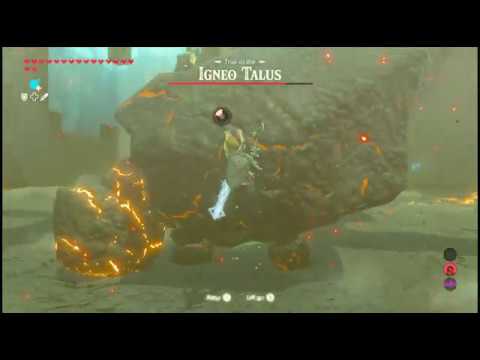](https://www.youtube.com/watch?v=n5tm0g01n6A)
|
||||
|
||||
11
TODO
11
TODO
@@ -178,7 +178,7 @@ Test if `xrandr --output DP-1 --scale 1.5` captures correct size on nvidia.
|
||||
|
||||
Fix cursor position and scale when scaling x11 display.
|
||||
|
||||
Support surround audio in application audio recording. Right now only stereo sound is supported.
|
||||
Support surround audio in application audio recording. Right now only stereo and mono sound is supported.
|
||||
|
||||
Support application audio recording without pulseaudio combined sink.
|
||||
|
||||
@@ -204,6 +204,7 @@ Ffmpeg fixed black bars in videos on amd when using hevc and when recording at s
|
||||
https://github.com/FFmpeg/FFmpeg/commit/d0facac679faf45d3356dff2e2cb382580d7a521
|
||||
Disable gpu screen recorder black bar handling when using hevc on amd when the libavcodec version is the one that comes after those commits.
|
||||
Also consider the mesa version, to see if the gpu supports this.
|
||||
The version is libavcodec >= 61.28.100
|
||||
|
||||
Use opengl compute shader instead of graphics shader. This might allow for better performance when games are using 100% of graphics unit which might fix issue with 100% gpu usage causing gpu screen recorder to run slow when not using vaapi to convert rgb to nv12(?).
|
||||
|
||||
@@ -232,4 +233,10 @@ When adding vulkan video support add VK_VIDEO_ENCODE_TUNING_MODE_LOW_LATENCY_KHR
|
||||
Implement screenshot without invoking opengl (which is slow to start on some systems).
|
||||
|
||||
Automatically use desktop portal on wayland when hdr is enabled (or night light) by checking if kms hdr metadata exists, if hdr video codec is not used.
|
||||
Or maybe do this in the ui?
|
||||
Or maybe do this in the ui?
|
||||
|
||||
Detect if cached portal session token is no longer valid (this can happen if the user switches to another wayland compositor).
|
||||
|
||||
Support reconnecting (and setting things up again) if the audio server is restarted (for both device recording and app recording).
|
||||
|
||||
Find out how nvidia-smi fixes nvenc not working on opensuse and do that ourselves instead of relying on nvidia-smi that is not always installed.
|
||||
|
||||
@@ -1,4 +1,4 @@
|
||||
project('gpu-screen-recorder', ['c', 'cpp'], version : '5.1.2', default_options : ['warning_level=2'])
|
||||
project('gpu-screen-recorder', ['c', 'cpp'], version : '5.1.3', default_options : ['warning_level=2'])
|
||||
|
||||
add_project_arguments('-Wshadow', language : ['c', 'cpp'])
|
||||
if get_option('buildtype') == 'debug'
|
||||
|
||||
@@ -1,7 +1,7 @@
|
||||
[package]
|
||||
name = "gpu-screen-recorder"
|
||||
type = "executable"
|
||||
version = "5.1.2"
|
||||
version = "5.1.3"
|
||||
platforms = ["posix"]
|
||||
|
||||
[config]
|
||||
|
||||
10
src/egl.c
10
src/egl.c
@@ -455,6 +455,16 @@ bool gsr_egl_load(gsr_egl *self, gsr_window *window, bool is_monitor_capture, bo
|
||||
}
|
||||
|
||||
gsr_egl_disable_vsync(self);
|
||||
|
||||
if(self->gpu_info.vendor == GSR_GPU_VENDOR_NVIDIA) {
|
||||
/* This fixes nvenc codecs unable to load on openSUSE tumbleweed because of a cuda error. Don't ask me why */
|
||||
const bool inside_flatpak = getenv("FLATPAK_ID") != NULL;
|
||||
if(inside_flatpak)
|
||||
system("flatpak-spawn --host -- nvidia-smi -f /dev/null");
|
||||
else
|
||||
system("nvidia-smi -f /dev/null");
|
||||
}
|
||||
|
||||
return true;
|
||||
|
||||
fail:
|
||||
|
||||
16
src/main.cpp
16
src/main.cpp
@@ -2480,16 +2480,16 @@ static gsr_color_range image_format_to_color_range(gsr_image_format image_format
|
||||
static int video_quality_to_image_quality_value(VideoQuality video_quality) {
|
||||
switch(video_quality) {
|
||||
case VideoQuality::MEDIUM:
|
||||
return 60;
|
||||
return 75;
|
||||
case VideoQuality::HIGH:
|
||||
return 70;
|
||||
return 85;
|
||||
case VideoQuality::VERY_HIGH:
|
||||
return 80;
|
||||
return 90;
|
||||
case VideoQuality::ULTRA:
|
||||
return 95;
|
||||
return 97;
|
||||
}
|
||||
assert(false);
|
||||
return 80;
|
||||
return 90;
|
||||
}
|
||||
|
||||
// TODO: 10-bit and hdr.
|
||||
@@ -2539,10 +2539,12 @@ static void capture_image_to_file(const char *filepath, std::string &window_str,
|
||||
bool should_stop_error = false;
|
||||
egl->glClear(0);
|
||||
|
||||
while(true) {
|
||||
while(running) {
|
||||
should_stop_error = false;
|
||||
if(gsr_capture_should_stop(capture, &should_stop_error))
|
||||
if(gsr_capture_should_stop(capture, &should_stop_error)) {
|
||||
running = 0;
|
||||
break;
|
||||
}
|
||||
|
||||
// It can fail, for example when capturing portal and the target is a monitor that hasn't been updated.
|
||||
// Desktop portal wont refresh the image until there is an update.
|
||||
|
||||
@@ -109,6 +109,17 @@ static void gsr_pipewire_audio_create_link(gsr_pipewire_audio *self, const gsr_p
|
||||
output_fl_port = gsr_pipewire_audio_get_node_port_by_name(self, output_node->id, "capture_FL");
|
||||
output_fr_port = gsr_pipewire_audio_get_node_port_by_name(self, output_node->id, "capture_FR");
|
||||
}
|
||||
if(!output_fl_port || !output_fr_port) {
|
||||
const gsr_pipewire_audio_port *output_mono_port = NULL;
|
||||
output_mono_port = gsr_pipewire_audio_get_node_port_by_name(self, output_node->id, "monitor_MONO");
|
||||
if(!output_mono_port)
|
||||
output_mono_port = gsr_pipewire_audio_get_node_port_by_name(self, output_node->id, "capture_MONO");
|
||||
|
||||
if(output_mono_port) {
|
||||
output_fl_port = output_mono_port;
|
||||
output_fr_port = output_mono_port;
|
||||
}
|
||||
}
|
||||
break;
|
||||
}
|
||||
}
|
||||
|
||||
Reference in New Issue
Block a user